iPhone app · Built with AI · No coding
The app you want doesn’t exist. So build your own, with AI.
Describe what you need by text or voice: what it does, the colors, the vibe. AI builds an app made just for you, right on your iPhone. Don’t love something? Just ask for a change.

Free to start · 500 free credits · iOS 18+
Sound familiar?
You keep adapting to your apps. It should be the other way around.
Generic apps
Built for millions of people. Full of buttons you never tap, and missing the one thing you actually need.
A cluttered phone
One app for expenses, another for habits, another for groceries. And none of them work the way you want.
Yet another subscription
A monthly fee just to log what you spent on groceries? To remember your cat’s vaccines?
Coding? No thanks.
You know exactly what you want. You just don’t know (or want) to write a single line of code.
What if the app were born your way, just for you?
Watch it happen
You talk. The app appears. You ask. It changes.
A real request, start to finish: from one sentence to a working app, then to the “cleaner” version.
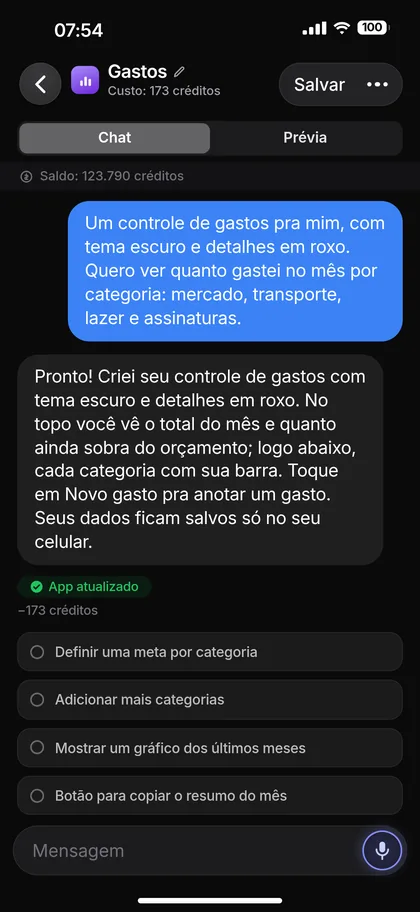
Real CriAI screens (in Portuguese), sped up. In practice, building an app takes about a minute.
The proof
Ask for the same app three times. Get three different apps.
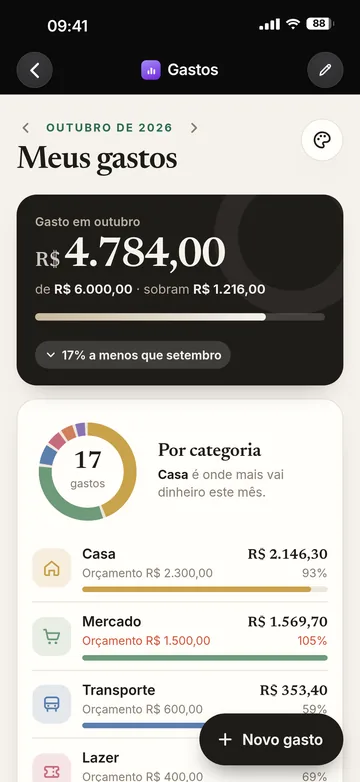
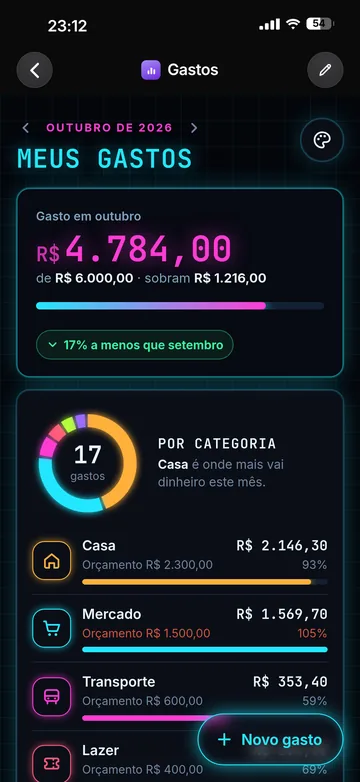
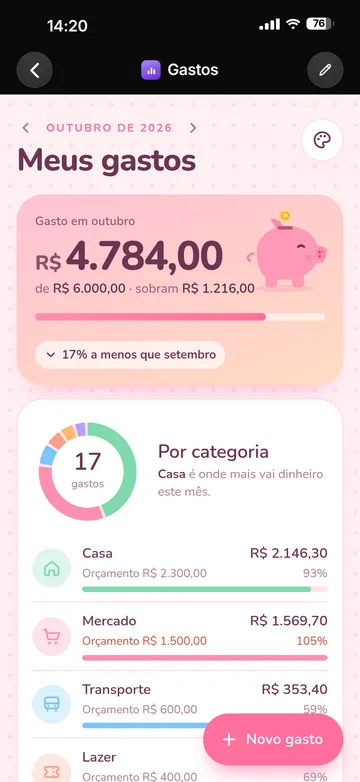
It’s the same expense tracker, doing the same job. But each one came from a different request, so each one has its own look. Not a theme, not a template: it’s born yours.
- Minimal
- Neon
- Cute
Inspiration
An app for every corner
of your life.
From grandma’s recipes to the plants on your balcony. Examples of what you can create, each with the look, colors and details that were asked for. Yours can look like this, or like nothing anyone else would imagine.
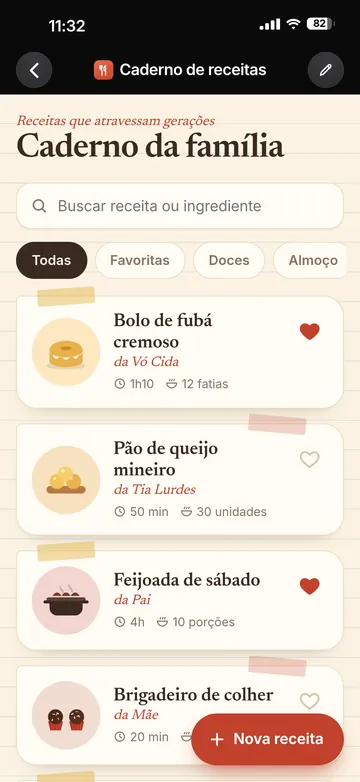
Recipe notebook
Ruled paper, family recipes and servings that rescale.
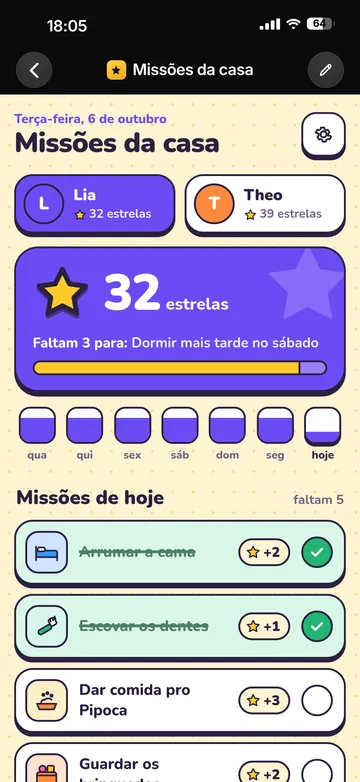
House missions
Chores become missions, with stars and a tab for each kid.
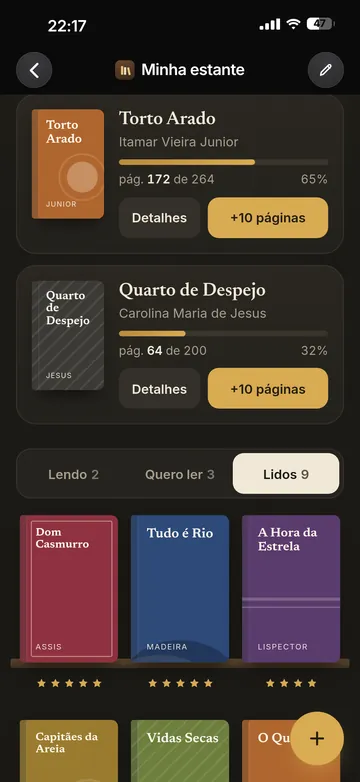
My bookshelf
Dark academia vibes, a reading goal and covers on the shelf.
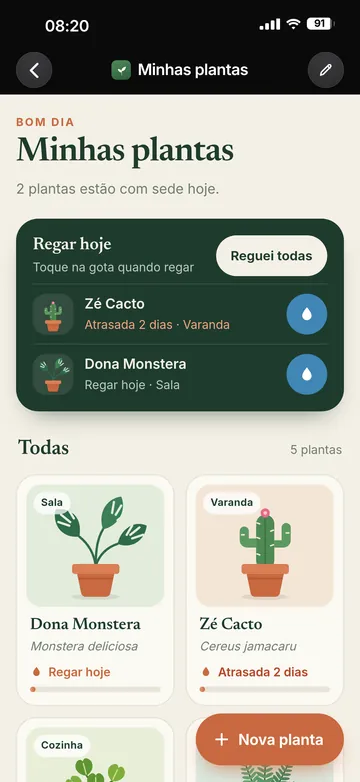
My plants
Every plant with a nickname, a room and its own watering reminder.


Example apps shown in Portuguese. Yours is created in the language you ask in.
How it works
From request to app in 3 steps
Describe it
Type or say what you want. The more of you that goes into the request, the more the app looks like you.
Watch it appear
AI builds the whole app (screens, buttons, colors) and it already works on your iPhone.
Tweak it by chatting
“Add a chart of the last few months.” “Make it cleaner.” CriAI even suggests improvements you can apply with one tap.
Gallery
Apps for an audience of one: you.
No company would build an app just for your skincare routine or your cat’s vaccines. There’s no money in it. For you, AI will.
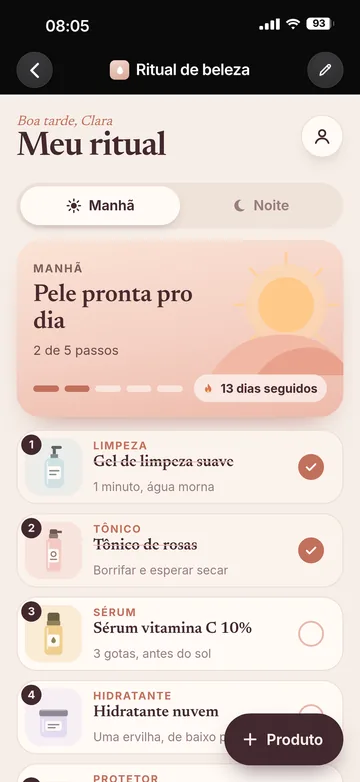
Skincare routine
Morning, night and a calendar for your ritual.
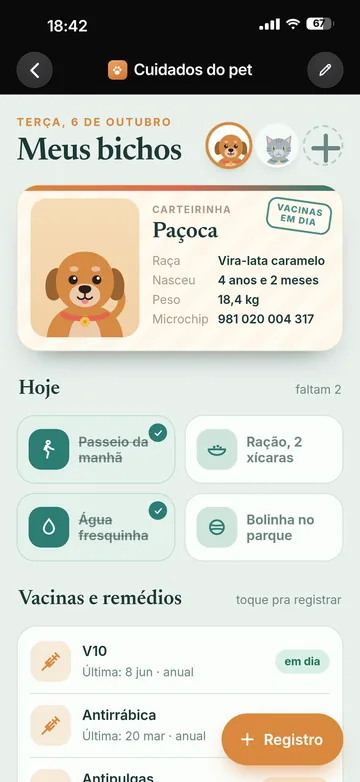
Pet care
Vaccines, weight and photos of your pet.
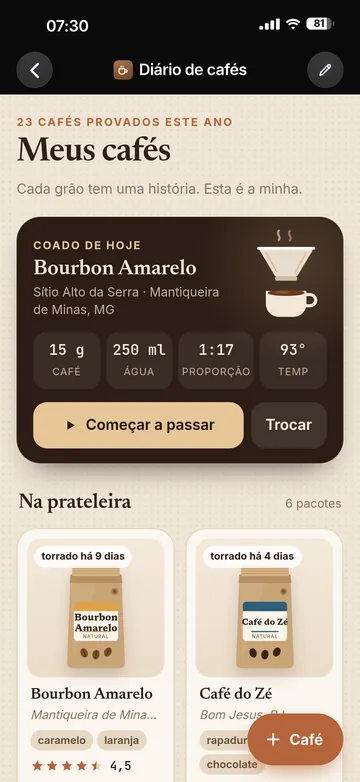
Coffee journal
Every bean, origin and rating you’ve tasted.
Or ask for something that only makes sense to you:
- “This week’s running plan”
- “Baby feeds and naps”
- “Flashcards for the exam”
- “Splitting house bills”
- “Mood journal”
- “Wedding checklist”
- “Vinyl collection”
- “Habits with goals”
Each app in its own space
Every app runs isolated, with its own data storage. One app can’t see another.
Your data stays put
The apps you create are blocked from sending data over the internet. What you log stays on your iPhone.
Only you can see them
Your apps are private. We don’t use your data for advertising or to train AI.
Pricing
Start free. No subscription.
500
free credits when you create your account
Credits only to create and tweak
You spend credits when you ask for a new app or a change. Real example: the demo app cost 173 credits to build and 53 for “make it cleaner”.
Using it is free, forever
A finished app is yours. Opening it, logging things and using it every day costs nothing.
Need more?
Credit packs are available in the app. Pay once, use them. No monthly fee.
FAQ
Questions?
Do I need to know how to code?
No. You just chat, by text or by voice, and AI builds the app. Zero code.
Is it really free?
To start, yes: every new account gets 500 credits. You only spend credits to create or tweak an app; using a finished app is free, forever. If you want more credits, there are packs in the app, no subscription.
Can I pick the colors and the style?
Yes, that’s the whole point. Ask for the theme, the colors, the vibe. Don’t like it? Ask for changes until it feels like you.
What kind of apps can I make?
Personal, everyday apps: expense trackers, habits, workouts, journals, lists, routines, pet care, collections. Because the apps run isolated and don’t connect to the internet, they aren’t meant for things like social networks or online stores.
Are my apps and data public?
No. Each app is private and runs isolated on your iPhone, and what you log in it stays on the device. Your requests go to the AI only to build the app. We don’t use your data for advertising or to train AI.
How long does it take to build an app?
Usually between 30 seconds and a minute, depending on the request.
Does it work on Android or on a computer?
For now, iPhone only, on iOS 18 or later.
Stop adapting to your apps. Make your apps adapt to you.
Your App. Your Rules.
Download it free and build your first app today, with 500 free credits.